


Types Of Salesforce Integrations For Enterprises
 By Pro Integrate Team
 Tue, Jul 23, 2019
Updated: Thu, Oct 8, 2026
6 min read
Tue, Jul 23, 2019
Updated: Thu, Oct 8, 2026
6 min read
 Dell Boomi services
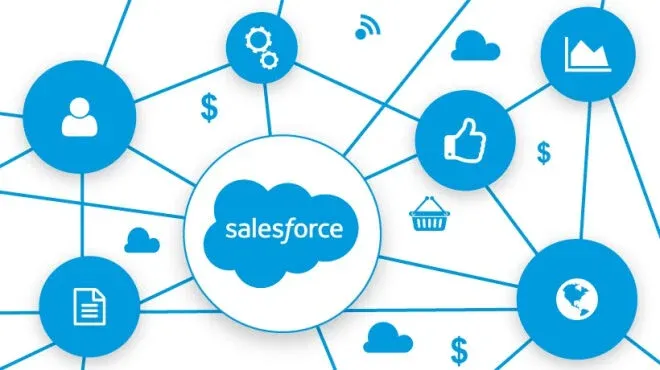
It is very easy to use Salesforce to integrate for real-time or asynchronous processing. You can integrate using various options and even do batch processing. First will be to integrate Salesforcewith Remote Systems. This Outbound Integration Pattern occurs in real-time or near real-time, or it may be an event-driven case.
Real-time integration cases
In real-time, you can expose web services through the integration platform using WSDL. This gets generated by Salesforce and integration should use Salesforceinterfaces. For the integration, you can do Salesforce integration with Mulesoft that provides you with all the tools you will need. In the Near Time integration, we can schedule the connector provided by Mulesoft and bring in data. This makes it near real-time and it depends on the scheduler settings. As we query objects in SQL, we can use the connector to query Salesforce objects.
For the Event-driven case, we can use defined criteria to trigger an event inside Salesforce. The event gets triggered with the action happens, it uses the integration URL to send the data to integration. Salesforce also can store the data apart from sending it to the URL. This data remains in Queue before it gets sent out to remote systems. This makes the data much more reliable. The Queues get configured to retry any specified number of times using a specific interval. According to the use case, the Queue gets set up for reliability in an integration or Salesforce layer.
Method of Inbound integration
When we integrate Remote Systems to Salesforce as an Inbound case, in real-time, Mulesoft gives a Connector for Salesforce that is robust. This integration can serve for real-time Salesforce updates. For Bulk Data Transfer, the connector itself provides the features. There is a chance in bulk operations that overload of Salesforce could occur through the integration.
Salesforce became the leading platform in the world for building application networks when it acquired Mulesoft. This will help enterprise connect data, apps, and devices through the cloud on-premise even when they do not connect to Salesforce. This is partly because the Anypoint platform from Mulesoft is a part of the integration system. Organizations will be able to surface their data and integrate Salesforce with Mule because of this no matter where the data is.
Leading SaaS provider
A wide range of customer interaction, sales, and support services remain facilitated and managed using CRM products from Salesforce. Salesforce is a leader in providing Software as a Service and cloud computing. But, it is necessary to build an effective strategy for back end databases, ERP solutions, and Salesforce integration with legacy CRM applications because there are chances of a ‘cloud silo’ of enterprise data building up.
Custom coding to the rescue
On approach for integrating Salesforce with the enterprise is to use custom coding. SaaS applications did not bring out the positive aspect of application integration when it first started out. There were very few SaaS integration tools available and enterprises had to use in-house IT teams to custom code the Salesforce connections to systems and applications. Many concerns used the DIY approach since they could tailor the integration to suit their individual need. This kind of hand-coded solutions helped synchronize data between databases residing on-premise with Salesforce.
Frequently Asked Questions
What is Salesforce integration?
Salesforce integration is the process of connecting Salesforce with other systems, such as ERP, databases, marketing tools and legacy applications, so data moves between them automatically. Integration can be real-time, near real-time, event-driven or batch, and can use an integration platform, APIs or custom code depending on the requirement.
What are the main types of Salesforce integration patterns?
The main Salesforce integration patterns are outbound, where Salesforce sends data to remote systems, and inbound, where remote systems send data into Salesforce. Each can run in real time, near real time, on events, or in batches, and a third approach is hand-coded custom integration that some enterprises still use.
What is the difference between real-time, near real-time and batch Salesforce integration?
Real-time Salesforce integration exchanges data immediately through services or APIs, near real-time integration pulls or pushes data on a short schedule, and batch integration moves large volumes at set times. Real-time suits interactive processes, while batch suits bulk loads, though large batches can put load on Salesforce if not managed.
How does event-driven outbound integration work in Salesforce?
In event-driven outbound integration, a defined condition in Salesforce triggers an event that sends data to an integration endpoint. The message can be held in a queue before delivery, and the queue can be set to retry a chosen number of times at set intervals, which makes delivery to remote systems more reliable.
How does MuleSoft connect with Salesforce?
MuleSoft provides a Salesforce connector in its Anypoint Platform that supports queries, real-time updates and bulk data transfer between Salesforce and other systems. Salesforce acquired MuleSoft in 2018, and the connector is commonly used for both inbound and outbound integration. Pro Integrate describes its approach on its MuleSoft Salesforce integration page.
What is a cloud silo, and how does Salesforce integration avoid it?
A cloud silo happens when data in Salesforce is not connected to back-end databases, ERP solutions or legacy CRM systems, so teams work from inconsistent information. Planning Salesforce integration with those systems, through an integration platform or well-managed custom code, keeps customer and order data aligned across the enterprise.
Should I use custom code or an integration platform for Salesforce?
Custom code can suit a single, specialized Salesforce connection, but it tends to be costly to maintain as systems and requirements multiply. An integration platform such as MuleSoft or Boomi offers connectors, monitoring and reuse, which usually makes it a better choice when you expect several integrations or frequent change.
How do I start a Salesforce integration project?
Start by listing the systems that must exchange data with Salesforce, the direction of each flow, and how fresh the data needs to be. Choose the integration pattern for each flow, plan error handling and API limits, and pilot one integration first. Pro Integrate offers Salesforce consulting services to help with planning.
Does Pro Integrate provide Salesforce integration services for enterprises in the US, UK and India?
Yes. Pro Integrate is a global IT consulting company with teams serving enterprises in the US, UK and India, offering Salesforce, MuleSoft and Boomi integration expertise. Companies can work with onshore and offshore delivery across time zones, and can reach the team through the Pro Integrate contact page.